Intent-Based Scripting
Ditch generic greetings. Tailor prompts to match specific landing pages, such as asking a roofing visitor if they need a repair, full replacement, or inspection quote.
Local SEO Services
SEO in Lehigh Valley
Local SEO in Lehigh Valley
Website Development
CRM Automation
Case Studies
Client Testimonials
Book a Strategy Review
Website chat helps local businesses capture more leads by giving visitors a fast, low-friction way to ask questions, share contact information, and move toward a quote, call, or booking. For dentists, contractors, auto detailers, medical practices, and home service businesses, the goal is not just to “add chat” to a website. The goal is to build a lead capture flow that responds quickly, collects the right information, and gives your team a clear next step.
Key Takeways
Website chat works best when it is connected to a real lead capture process, not treated as a passive website feature.
The first few questions should qualify the visitor without making the conversation feel like a long form.
Fast response time matters because many visitors contact multiple businesses before choosing one.
Chat should connect with your CRM, follow-up system, or booking process so leads do not get lost.
The first mistake many businesses make is asking too much too soon. A visitor who just landed on your site may not want to answer ten questions before they know whether your business can help. The chat flow should feel like a normal conversation, not an interrogation.
Start with the service need. For example, an auto detailing business may ask, “What type of detailing service are you looking for?” A contractor may ask, “What project do you need help with?” A dental office may ask, “Are you looking for a new patient appointment, emergency visit, or specific treatment?”
After that, ask for location or service area. This prevents your team from wasting time on leads outside your coverage area. It also helps route the inquiry properly if you serve multiple cities across the Lehigh Valley.
Only after the visitor has shown intent should the chat request contact information. A simple line like “What is the best phone number or email for our team to follow up?” usually feels natural once the visitor has already shared what they need.
Here is a practical structure:
| Chat Step | What It Should Do | Example Question |
|---|---|---|
| Greeting | Start the conversation quickly to capture attention. | “Hi, what service are you looking for today?” |
| Qualification | Understand the unique requirements of the inbound lead. | “What type of project or appointment do you need help with?” |
| Location | Confirm the user falls within your designated regional service area. | “What city are you located in?” |
| Contact Capture | Secure reliable contact records for manual or automated follow-up. | “What is the best phone number or email to reach you?” |
| Next Step | Move the qualified prospect directly toward an actionable conversion goal. | “Would you like a call, quote, or appointment request?” |
This keeps the chat simple while still giving your team useful information. The goal is not to collect every detail inside the chat. The goal is to capture enough information to follow up quickly and intelligently.
Works beautifully when a dedicated team member can respond immediately during standard business hours. It delivers a deeply personal, conversational touch.
Built for total operational consistency and reliable lead capture, making it a critical asset for capturing weekend and late-night website traffic.
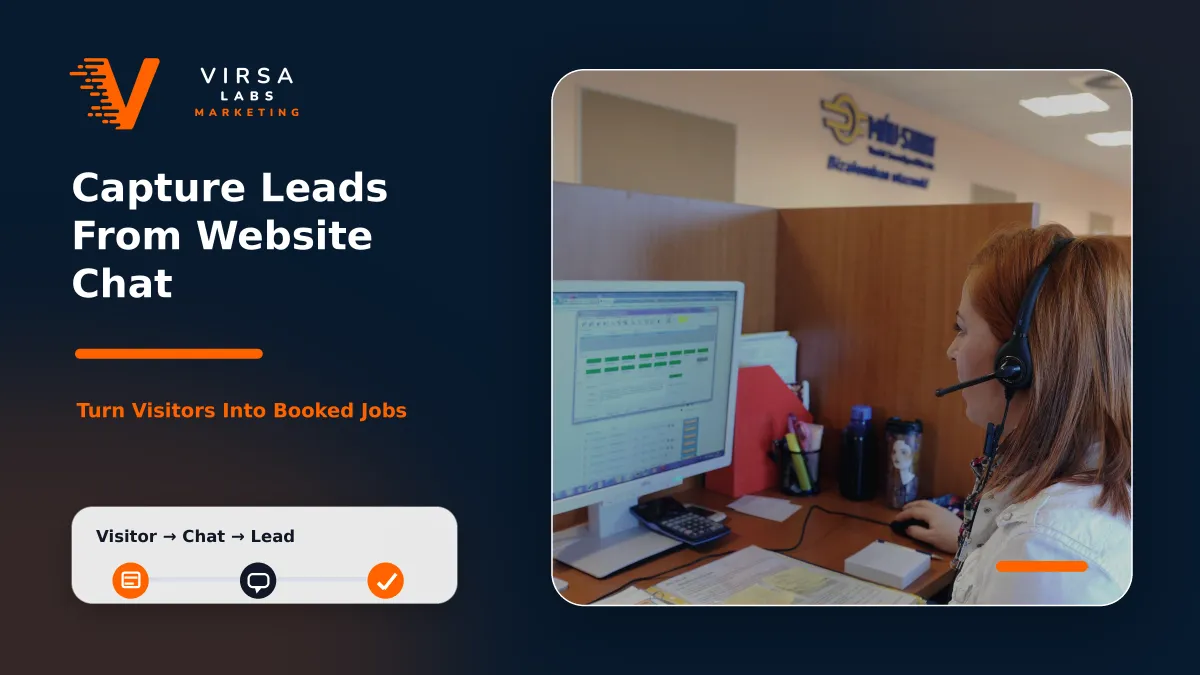
A chat widget shouldn't just sit on your site looking modern. It needs a structured path that qualifies traffic, routes data cleanly, and turns passive visitors into high-value business inquiries.
Ditch generic greetings. Tailor prompts to match specific landing pages, such as asking a roofing visitor if they need a repair, full replacement, or inspection quote.
Avoid long, drawn-out conversations without securing an email or phone number. Move the chat toward a contact request before the visitor abandons the page.
Ensure incoming chat records trigger immediate notifications via text, email, or app alerts so your sales team can jump on hot opportunities before they cool down.
Feed chat data directly into your backend CRM workflows. Automated tracking ensures leads are systematically nurtured through pipeline reminders, text messages, and email drip series.
Monitor total conversations started, contact capture conversion rates, and down-funnel booked jobs so you can audit, refine, and optimize your script over time.
Treat your chat widget as a core piece of your holistic conversion strategy, working alongside high-intent service pages, localized SEO, and active Google Ads traffic.
If your website gets traffic but visitors are not turning into real inquiries, your chat and follow-up process may need work.
Virsa Labs Marketing can help you review your website, improve the lead capture flow, and connect chat inquiries to a stronger follow-up system.
Contact Virsa Labs Marketing to discuss how your website can capture more qualified leads.
Yes, website chat can help when it is built around lead capture and follow-up. It gives visitors an easier way to ask questions and start a conversation. The results depend on the quality of the chat flow, response speed, and how well the lead is handled after the conversation starts.
Live chat is best when your team can respond quickly during business hours. Automated chat is better for after-hours coverage and consistent lead capture. Many businesses benefit from a hybrid setup where automation collects the first details and a team member takes over when available.
At minimum, chat should collect the service needed, location, name, phone number or email, and preferred next step. The flow should stay simple. Asking too many questions can reduce completion rates.
Yes, website chat can often connect to a CRM or lead management system. This allows new inquiries to trigger follow-up texts, emails, task reminders, booking links, or pipeline updates. This is usually more effective than leaving chat messages inside a separate dashboard.
Website chat does not directly improve rankings, but it can help convert visitors who arrive from SEO. If your business is investing in organic visibility, your website needs clear conversion paths. Chat can support that by giving visitors another way to become a lead.
Chat should usually appear across major service pages, location pages, and high-intent landing pages. The message can be adjusted based on the page. A service-specific chat prompt often performs better than one generic message across the whole site.