Isolate Sensitive Fields
Keep tracking pixels and conversion scripts entirely away from sensitive form inputs, patient portals, and comprehensive intake workflows.
Virsa Labs Marketing »Dental Marketing Compliance: HIPAA, Tracking Pixels, and Website Forms

Local SEO Services
SEO in Lehigh Valley
Local SEO in Lehigh Valley
Website Development
CRM Automation
Case Studies
Client Testimonials
Book a Strategy Review
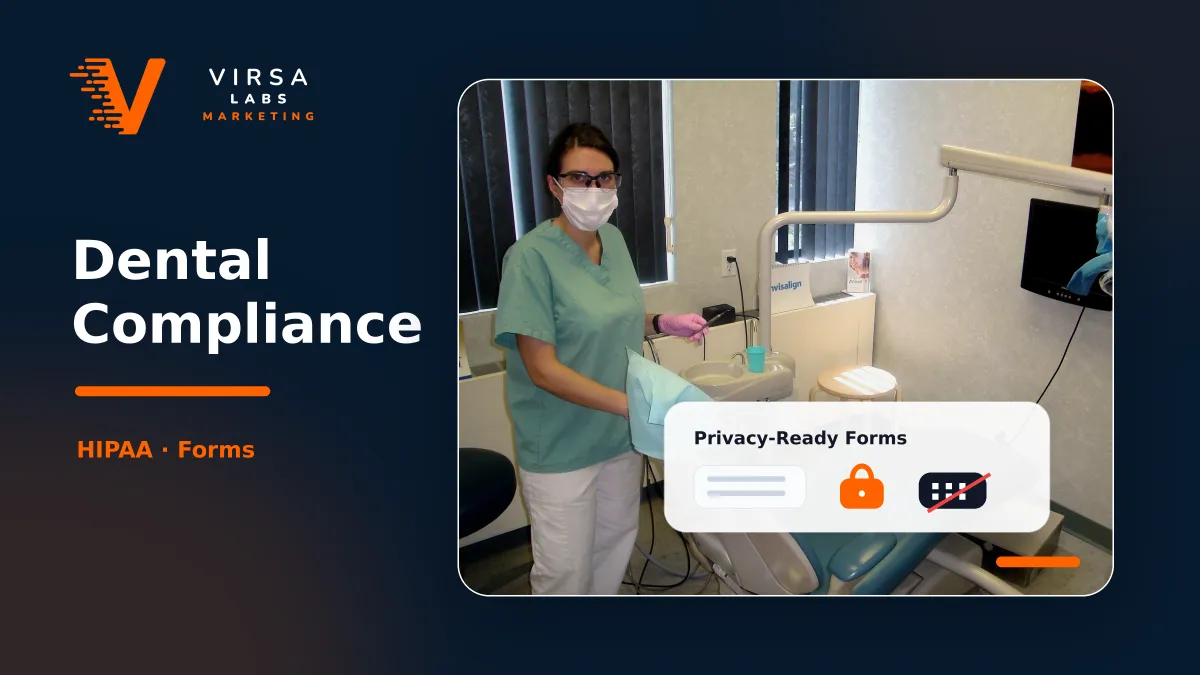
Dental marketing compliance matters because your website, forms, ads, call tracking, and analytics can all touch patient information. For dental practices in the Lehigh Valley and across the U.S., the goal is not to stop marketing it is to build a marketing system that protects patient privacy while still helping the practice generate calls, appointment requests, and new patient inquiries.
HIPAA applies to covered health care providers and protects individually identifiable health information, including electronic PHI.
Key Takeways
Dental practices should avoid collecting sensitive patient information through basic website forms unless the system is properly secured and reviewed.
Tracking pixels, analytics tools, and retargeting platforms need extra caution when they interact with appointment pages, form submissions, or patient-specific behavior.
Any vendor that creates, receives, maintains, or transmits PHI may require a proper Business Associate Agreement.
Compliance should be built into the marketing workflow before campaigns launch, not patched after leads start coming in.
HIPAA is not just a clinical or back-office issue. It can affect the way your dental practice collects leads, tracks conversions, sends emails, records calls, and follows up with patients.
The risk usually starts when a practice treats dental marketing like any other local business campaign. A roofer, auto detailer, or contractor can usually run forms, pixels, CRM automations, and retargeting with fewer privacy concerns. A dental practice needs a tighter process because a simple appointment request can reveal that someone is seeking health care.
That does not mean your practice should avoid SEO, Google Ads, landing pages, or automation. It means the setup needs to be intentional. Your marketing system should separate general marketing activity from patient-sensitive activity.
For example, tracking traffic to a general “Invisalign services” page may be different from tracking a submitted form that includes symptoms, treatment needs, insurance information, or appointment details. The more specific the data becomes, the more carefully it should be handled.
A good dental marketing setup should answer a few basic questions before launch:
| Marketing Area | What Can Go Wrong | Better Approach |
|---|---|---|
| Website forms | Collecting sensitive health details through an unsecured or non-reviewed tool. | Keep forms simple, secure, and limited to necessary information. |
| Tracking pixels | Sending user behavior from sensitive pages to third-party platforms. | Review where pixels fire and avoid sensitive conversion paths. |
| CRM automation | Storing patient-related inquiries in general marketing software. | Use appropriate systems and permissions for patient-related workflows. |
| Email follow-up | Sending health-related details through standard marketing emails. | Keep messages general unless using approved secure communication. |
| Call tracking | Recording or storing sensitive patient conversations without the right process. | Review consent, storage, access, and vendor responsibilities. |
This is where Virsa Labs Marketing takes a practical operator’s view. A strong dental campaign is not just “more traffic.” It is a system that connects dental SEO, landing pages, forms, calls, CRM follow-up, and reporting without creating unnecessary compliance risk.
Tracking helps a dental practice understand which campaigns drive calls, forms, and appointments. However, serious problems arise when tracking scripts leak patient-related information to ad or analytics platforms without the right safeguards.
Keep tracking pixels and conversion scripts entirely away from sensitive form inputs, patient portals, and comprehensive intake workflows.
Avoid launching retargeting ad campaigns built around users who have visited specific, sensitive health treatment pages or symptom logs.
Configure conversion goals to pass generic signals only. Never pass patient names, custom messages, clinical diagnoses, or explicit appointment details.
Review analytics, advertising accounts, web forms, CRMs, and call-tracking platforms together as an interconnected ecosystem instead of in silos.
Recognize that generic homepages or blog posts carry a vastly different data privacy risk profile than appointment confirmation pages and patient portals.
Maintain tight data boundaries across active Google Ads, SEO landing pages, and local remarketing assets to scale safely without exposure.
Dental practices often look closely at compliance rules only after something breaks. It is much more efficient to verify data flows and tracking boundaries before your landing pages, ad networks, or automation sequences go live.
Document exactly what data is being collected at every consumer entry point, from simple contact options to multi-step scheduling forms.
Determine if any requested field asks for patient-sensitive logs, explicit clinical symptoms, medical histories, or specific oral conditions.
Trace the complete path of a submission from the browser to ensure information doesn't fall into unencrypted general emails or personal threads.
Identify all active marketing companies, freelancers, software platforms, and contractors who hold access permissions to the database dashboards.
Confirm that third-party analytics pixels, conversion tools, and ad tracking links remain inactive on private booking portals and confirmation screens.
Train front-desk workers, administrative staff, and managers on what information should never be sent over unsecured promotional networks.
Establish whether the complete layout, terms, privacy pages, and data sharing pipelines require a specialized compliance sign-off before launch.
Schedule ongoing operational reviews across websites, tracking tools, and connected CRMs to stop data leaks caused by platform updates.
Virsa Labs Marketing builds high-performing dental campaigns that blend local SEO, clean web development, and secure lead generation workflows tailored to modern dental marketing standards.
If your dental practice is updating its website, forms, ads, or CRM workflows, it is worth reviewing the marketing system before scaling traffic.
Virsa Labs Marketing helps dental practices build cleaner digital marketing systems that support visibility, lead generation, and patient trust. For a practical review of your current setup, contact Virsa Labs Marketing.
Yes, dental practices that are HIPAA-covered entities need to think carefully about how marketing systems handle patient information. This can include website forms, CRM tools, call tracking, email campaigns, and analytics. The exact requirements depend on what data is collected and how it is used.
Dental practices can use paid ads, but tracking and targeting need to be set up carefully. Avoid sending sensitive patient information into ad platforms or using patient-specific health behavior for retargeting. The ad campaign should be reviewed together with the landing page, form, pixel, and CRM workflow.
They can be. A basic contact form becomes more sensitive when it collects appointment details, symptoms, treatment needs, insurance information, or other health-related information. Keep forms limited, secure, and connected only to systems appropriate for the type of information being collected.
A vendor may need a Business Associate Agreement if it creates, receives, maintains, or transmits PHI on behalf of the dental practice. Not every marketing vendor relationship is the same, so the practice should review what data the vendor can access and what role the vendor plays.
Not always. The better question is where the pixels are installed and what information they can collect. Tracking on general marketing pages may be lower risk than tracking on patient forms, intake pages, portals, or appointment confirmation pages.
A dental practice should involve its internal compliance lead, legal counsel when needed, and marketing partners who understand the operational side of forms, tracking, ads, CRM systems, and reporting. Marketing advice should not replace legal advice, but the marketing setup should be built to reduce unnecessary risk.